Knowledge Web
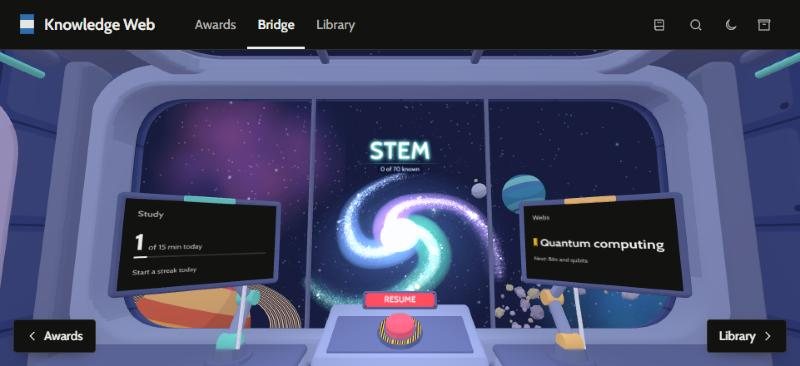
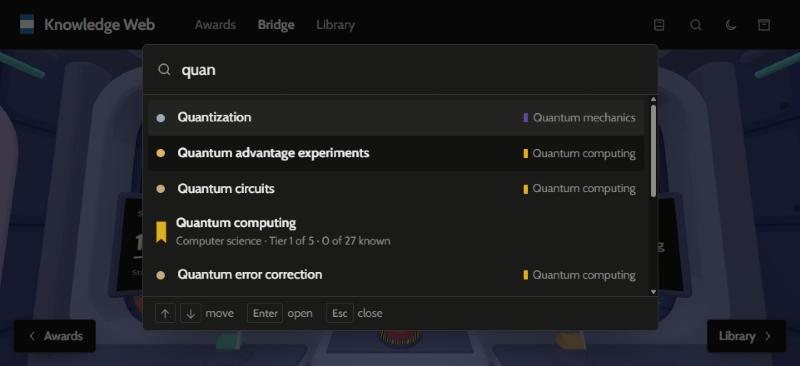
Type any subject and it becomes a 3D web of topics you climb tier by tier, with a lesson, a tutor and a quiz for every topic.
- Type
- Software
- Year
- 2026
- Built
- October 2026
- My part
- The concept, the rules the app keeps (a subject is always a 3D web, the maths comes with each tier, it works without AI), the look, and testing
- Built with
- Claude Code (AI coding assistant)
- Tools
- TypeScript, three.js, d3, MathJax, Express, Electron, the Claude API
The idea
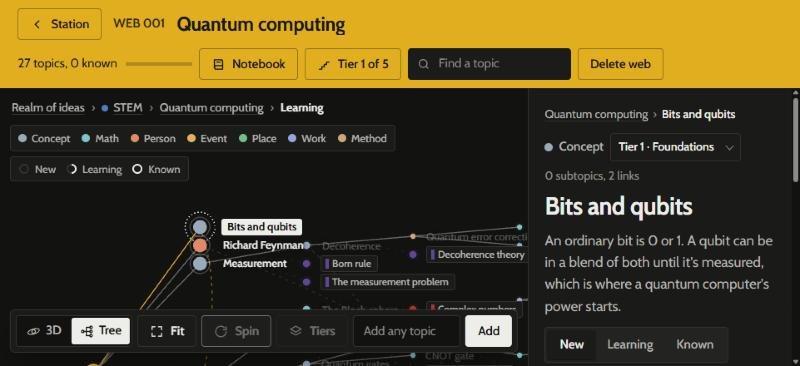
Courses give you a subject as a list. I wanted to see a subject’s shape: what the big ideas are, what you need to know first, and where you are in it. In Knowledge Web you type a subject, the main topics are mapped into a 3D web, and you keep branching from there: break a topic down, find what to learn first, see where it shows up, or wander into a neighbouring field.
How it’s organised
Topics sit on tiers, from an overview through the foundations and upward, and each tier comes with the maths it needs, so learning the maths is part of climbing the subject instead of a detour from it. Every topic has a lesson, a tutor you can ask questions, and a quiz, and it moves from New to Learning to Known as you go. A notebook fills itself as you learn, with what you’ve mastered, your quiz results and the questions you asked, next to your own notes.
Engineering choices
- The key stays on the server. Every request to the model goes through a small server (or the desktop app’s main process), so the API key never reaches the page.
- It works without AI. With no key, you can still build webs by hand, browse and take notes. Only lessons, quizzes, the tutor and look-ups switch off.
- Cheap jobs run cheap. Small tasks such as placing a topic run the model at low effort; the rest runs at medium.
- One codebase, three places. It runs in the browser and as a desktop app, and is set up to become a phone app, with storage behind one interface.
What I’d do next
Accounts and syncing, so it works across devices, and a phone version.